
Check Engine Light on Semi Truck — Fault Codes & Diagnosis
The check engine light (MIL) on a semi truck indicates a stored fault code. Unlike a car, a truck CEL almost always has a specific SPN/FMI code behind it. This guide covers the most common codes and how to diagnose them.
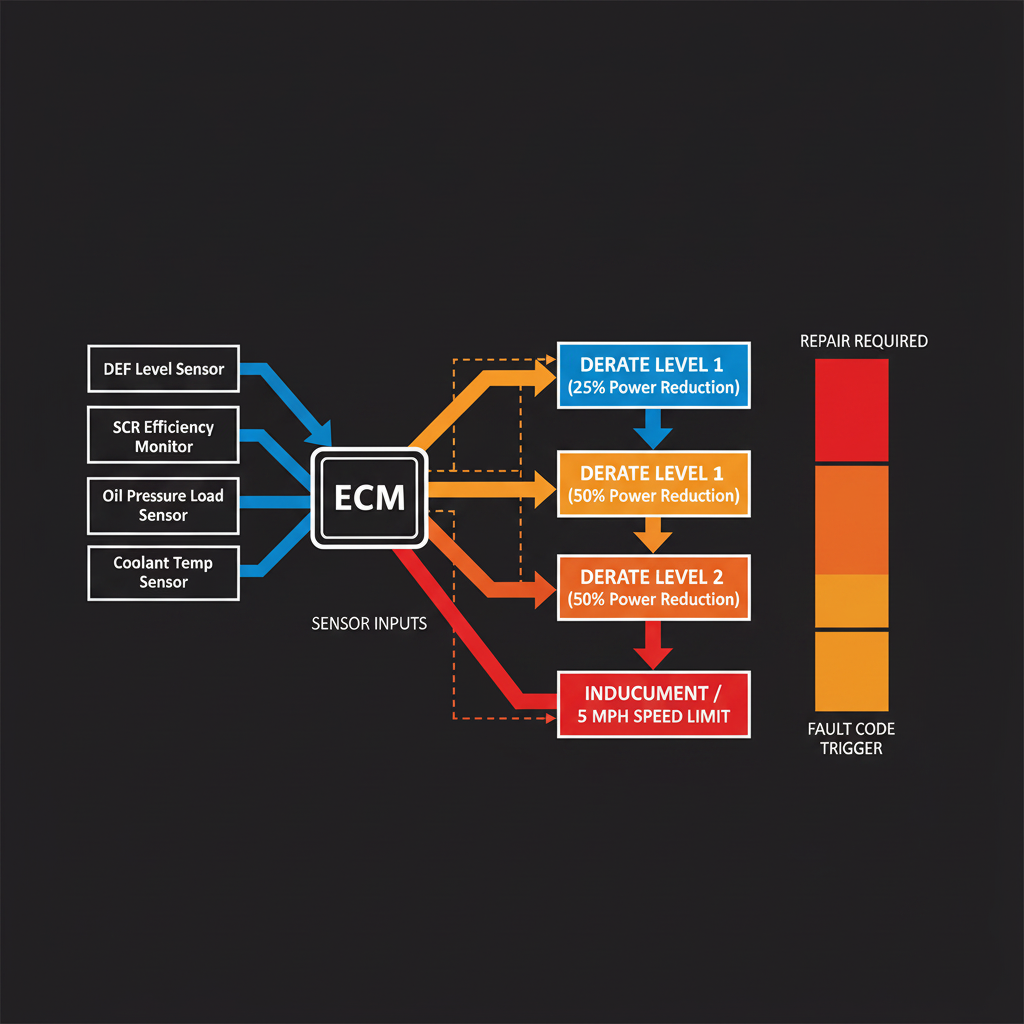
Understanding the Check Engine Light on a Semi Truck
Semi trucks use the J1939 protocol to communicate fault codes between the ECM and other modules. The check engine light (also called the MIL — Malfunction Indicator Lamp) illuminates when the ECM stores an active or inactive fault code.
Unlike passenger vehicles, semi trucks often have multiple warning lamps — the amber check engine light, a red stop engine light, and system-specific lamps for aftertreatment, DEF, and engine protection. Each has a different urgency level.
Most Common Check Engine Light Fault Codes
How to Read Fault Codes on a Semi Truck
- 1Use OEM diagnostic softwareINSITE (Cummins), DDDL (Detroit), or DAVIE (DAF/PACCAR) provide the most complete fault code information including freeze frame data.
- 2Use a J1939 scannerA J1939-compatible scanner can read SPN/FMI codes from any compliant ECM. Less detail than OEM software but works across brands.
- 3Check the instrument clusterMany trucks display fault codes directly on the dash. Check the driver information display for active fault codes.
- 4Note active vs. inactive codesActive codes indicate a current fault. Inactive codes indicate a past fault that may have cleared. Both need investigation.
- 5Look up the SPN/FMI codeUse the fault code links above or the AI Diesel Tech knowledge base to find diagnostic procedures for your specific code.
Diagnose Your Check Engine Light with AI
Enter your SPN/FMI fault code and get a complete diagnostic procedure — no OEM software required.