
SPN 521049 FMI 31 — Manufacturer Specific Body Controller Event
SPN 521049 FMI 31 is a manufacturer-specific body or controller event flag. The exact meaning depends on the OEM — treat as a pointer to body-module status, not an automatic engine hardware failure. Manufacturer-specific events require OEM definition first, not parts guessing.
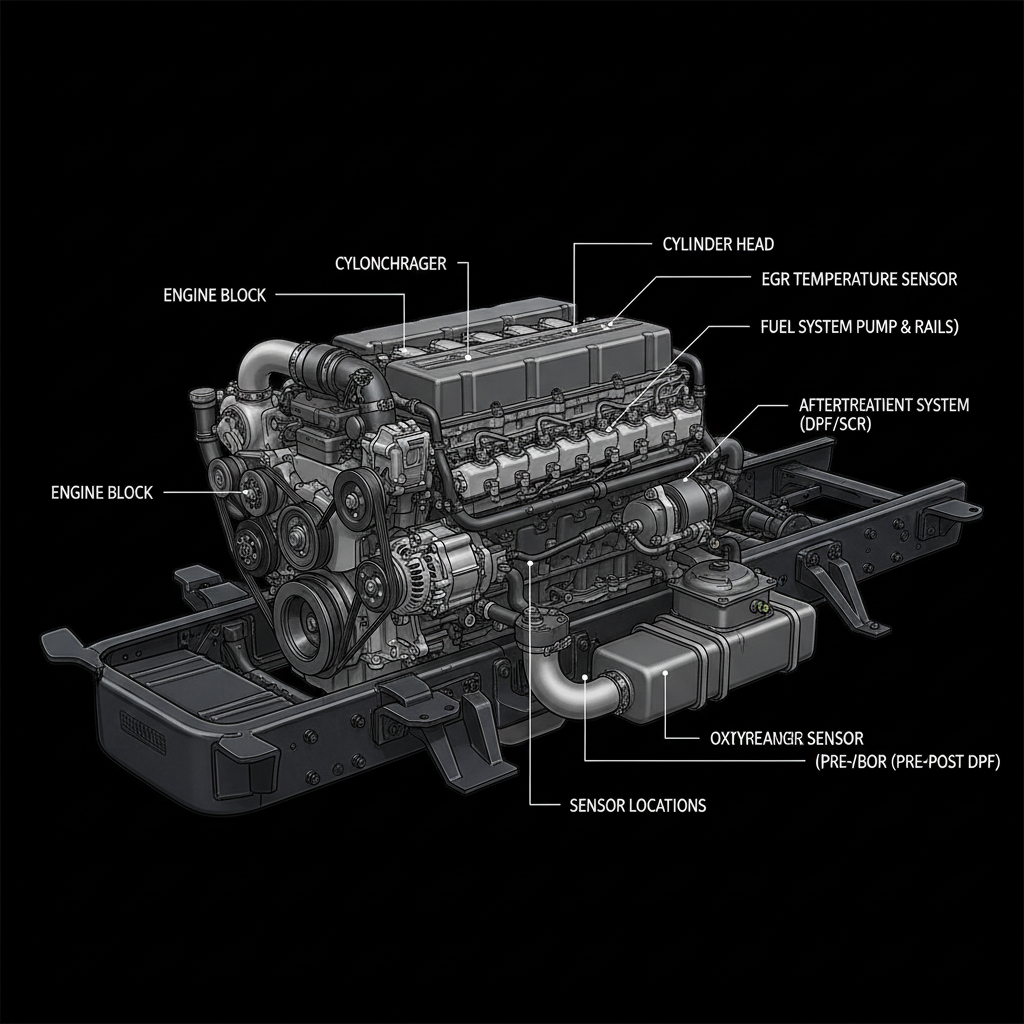
Fault Overview
FMI 31 on a manufacturer-specific SPN indicates the ECM or body controller detected an event condition that is defined by the OEM. Body module configuration issues, low voltage events, related switch inputs, network timeouts, and true module faults are the primary causes. Generic scan tools showing a code without OEM text leading to guesswork is the most documented misdiagnosis pattern. Always decode with OEM information when possible — the event definition determines the correct diagnostic path.
Engine & Platform Coverage
Symptoms
- •SPN 521049 FMI 31 body controller fault
- •Manufacturer-specific SPN event
- •Chassis module event condition
- •Unexplained warning lamp from body controller
- •Generic scan tool shows code without OEM text
Possible Causes
- 1.Body module configuration issues — configuration fault producing event condition
- 2.Low voltage events — low voltage producing module event
- 3.Related switch inputs — switch input fault producing event condition
- 4.Network timeouts — J1939 network timeout producing event condition
- 5.True module faults — module hardware failure producing event condition
Diagnostic Flow — FSM Sequence
AI Diesel Tech enforces this evidence-gate sequence. Each gate must pass before advancing.
6 steps locked behind Technician Mode- 1Single Action Gate — Decode OEM-Specific Definition: Decode the OEM-specific event definition using OEM software or service information. Generic scan tools show a code without OEM text, leading to guesswork. Always decode with OEM information when possible. The event definition determines the correct diagnostic path — a body module configuration event requires a different path than a switch input fault.
- 2Binary Decision Gate — Check Related Module Voltage and Network: Check the related module voltage and network integrity. Low voltage events and network timeouts are common causes of manufacturer-specific event conditions. Verify module power and ground integrity. Verify J1939 network backbone resistance and termination.
- 3Override Manager — Inspect Associated Inputs: Inspect the associated inputs identified by the OEM event definition. A switch input fault producing an event condition requires switch diagnosis. A sensor input fault requires sensor diagnosis. Follow the OEM event definition to identify the associated inputs.
- 4Safety Interceptor — Follow OEM Flowchart: Follow the OEM diagnostic flowchart for the specific event definition. Manufacturer-specific events have OEM-specific diagnostic paths that are not generic. The OEM flowchart identifies the correct test sequence for the specific event condition.
- 5Resume Point — Verify Voltage Stability During Event Window: Verify voltage stability during the event window. Low voltage events producing module faults are a documented pattern. Monitor module voltage during the conditions that produce the event. A voltage dropout during the event window confirms a power supply fault.
- 6Verification Loop — Post-Repair Event Confirmation: After repair, verify the event condition does not return. Confirm SPN 521049 FMI 31 does not return. Monitor for return of body controller events over extended operation.
- 7Repair Ledger Output — Power, Network, Configuration, or Module Decision: Repair power or ground if voltage fault is confirmed. Repair network if backbone fault is confirmed. Correct configuration if configuration fault is confirmed. Replace module only with OEM proof of module hardware failure.
Unlock the full evidence-gated diagnostic sequence, DVOM test steps, and repair procedures in Technician Mode.
Repair Steps
2 steps locked- 1Repair power or ground if voltage fault is confirmed.
- 2Repair network if backbone fault is confirmed.
- 3Correct configuration if configuration fault is confirmed.
- 4Replace module only with OEM proof of module hardware failure.
Unlock full diagnostic steps, DVOM tests, and repair procedures.
Full Diagnostic Access
Verification steps, preventative measures, severity guidance, and legacy comparison are available in Technician Mode.
Start Diagnosing This Fault Now
AI Diesel Tech walks you through every evidence gate in the correct order. Choose the plan that fits your shop.
Related Resources
Related Fault Codes
AI Diesel Tech — The Technician's Diagnostic Engine
AI Diesel Tech diagnostic logic is built by an ASE Certified Diesel Technician and engineered for professional shop use. Trusted by technicians nationwide — used in shops, fleets, and training programs.
Summary
Manufacturer-specific events require OEM definition first, not parts guessing. The AI Diesel Tech FSM forces OEM-definition lookup and power/network gates before parts.